Aion 2 Download Guide: PC Requirements & Steam Setup
Discover the ultimate Aion 2 download guide. Learn about the Steam launch, PC system requirements, pre-load sizes, and how to optimize your setup.
Published: AION 2 Wiki Editorial Team
Table of Contents
Are you ready to dive back into Atreia? With the official global launch of NC's highly anticipated MMORPG, securing your aion 2 download as early as possible is crucial to getting a head start. In this comprehensive guide, we will walk you through the step-by-step process to complete your aion 2 download on Steam, configure your PC settings, and optimize your system for day-one performance.
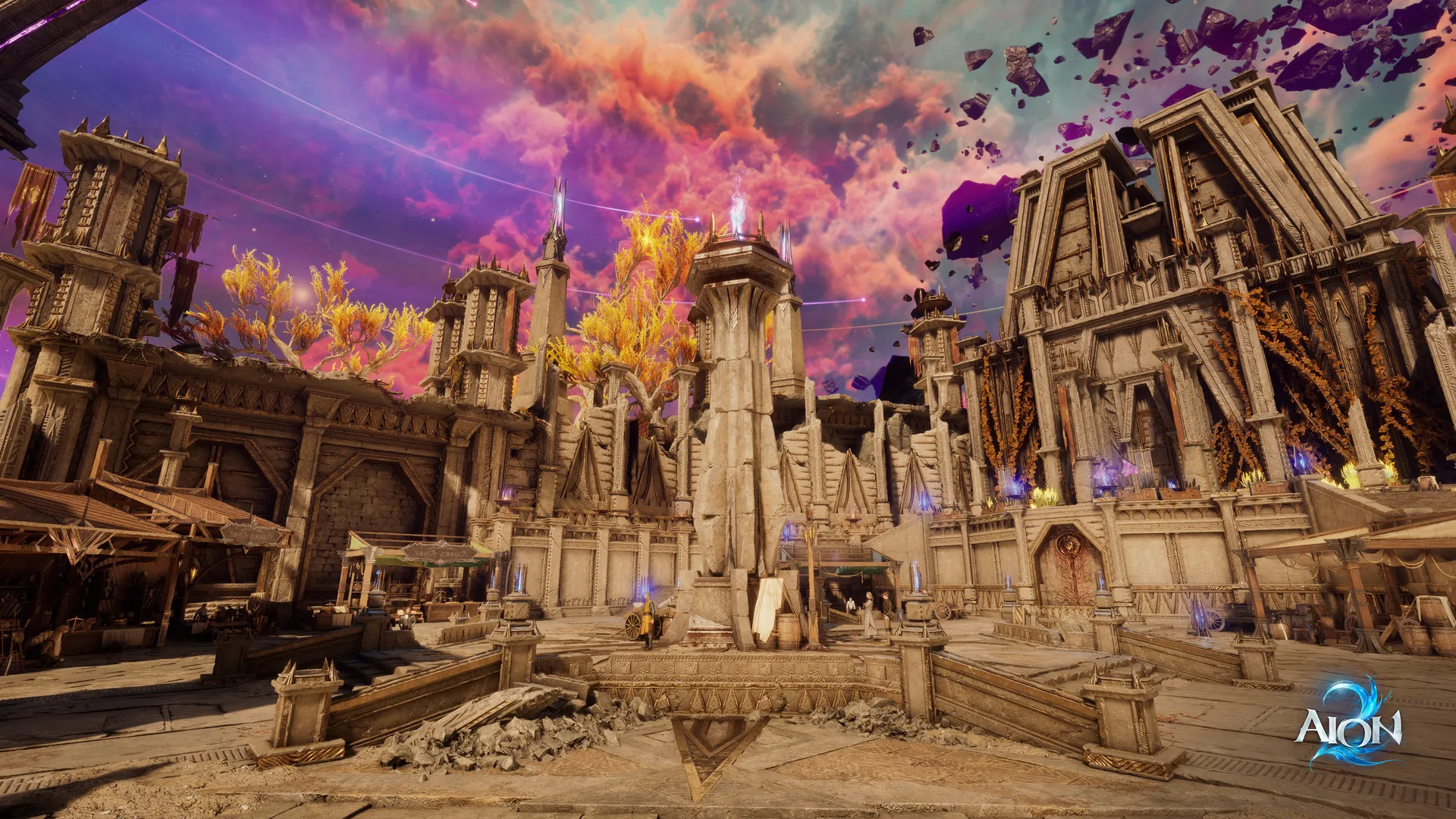
Built on the cutting-edge Unreal Engine 5, this sequel redefines the classic conflict between the Elyos and the Asmodians. Featuring fully revamped aerial combat, free flight across all regions, and massive faction-based warfare, the scale of the game requires proper preparation before you take to the skies. Whether you are a returning veteran from the original game or a newcomer looking for a deep, competitive MMORPG experience, this guide ensures your installation is seamless.
Official Release Schedule and Pre-Load Details
To ensure a smooth launch experience, NC has structured the global release of the game into two distinct phases. Understanding these phases will help you plan your download and avoid server congestion during peak hours.
Early Access vs. Free-to-Play Launch
The global rollout begins with Early Access on September 30, 2026, at 6:00 AM Pacific Time (9:00 AM Eastern Time). Access to this early window is granted to players who purchase any tier of the official Founder's Packs. For all other players, the standard free-to-play servers will open exactly five days later, on October 5, 2026.
According to community reports, players do not need to purchase an Early Access pack to pre-download the game files. The pre-load client is available to everyone ahead of time, allowing players with slower internet connections to complete their download without rushing on launch day.
Launch Phase
Start Date & Time
Access Requirement
Client Pre-Load
Early Access
September 30, 2026 (6:00 AM PDT)
Any Founder's Pack Purchase
Available
Official Global Launch
October 5, 2026
Free-to-Play (All Players)
Available
Server Regions and Faction Lock Warnings
At launch, the global client will feature several regional server clusters to minimize latency. Players can choose between the following regions:
North America East (NA East)
North America West (NA West)
South America
Central Europe
Japan
While there are no strict regional locks preventing you from playing on overseas servers, community testing indicates that high latency severely impacts combat fluidity, particularly for fast-paced classes like the Assassin and Sorcerer.
Furthermore, players must coordinate with their guilds and friends regarding faction selection. The game features two opposing factions: the Elyos and the Asmodians. These factions utilize separate starting zones, unique storylines, and entirely different social structures. Because opposing factions cannot party together or join the same legions, selecting the same server and faction as your friends is vital.
How to Setup Your Aion 2 Download on Steam
For the global market, the PC version of the game is distributed primarily through Steam and the proprietary NC Purple launcher. To initiate the aion 2 download on Steam, simply search for the game's official store page or navigate directly to the AION 2 Steam Store Page.
Step-by-Step Steam Installation Guide
Launch the Steam Client: Open Steam on your PC and log into your account.
Search for the Game: Type "AION 2" into the store search bar and select the official game page.
Add to Library / Wishlist: If you have purchased a Founder's Pack, the option to "Pre-load" or "Install" will be active. Free-to-play players can add the game to their library to begin the pre-download.
Select Installation Path: Choose an installation directory on an SSD. Due to the high-fidelity assets of Unreal Engine 5, installing the game on a standard HDD is not recommended.
Begin Download: Click "Install" to start downloading the game files.
Warning
Playtest Client Warning
If you participated in the Launch Scale Test held in mid-September, please note that those test files will not automatically convert into the official launch client. You must completely uninstall the playtest client and download the retail client separately to avoid file corruption and registry errors.
Platform Client
Regional Availability
Cross-Play Support
Key Features
Steam
Global (excluding restricted zones)
Yes (with Purple launcher)
Steam Achievements, Overlay, Wallet Support
NC Purple
Global
Yes (with Steam launcher)
Direct NC account management, Purple community features
System Requirements and Technical Optimization
Unreal Engine 5 brings Atreia to life with incredible detail, but it also demands robust hardware. When preparing your aion 2 download, ensure you have at least 81 GB of free space on your solid-state drive (SSD).
PC Hardware Specifications
To run the game smoothly at 1080p resolution with stable frame rates, your system should meet or exceed the recommended specifications outlined below.
Hardware Component
Minimum Requirements
Recommended Specifications
Operating System
Windows 10 (64-bit)
Windows 10 / 11 (64-bit)
Processor (CPU)
Intel Core i5-8400 / AMD Ryzen 5 2600
Intel Core i7-10700K / AMD Ryzen 7 5800X
Graphics Card (GPU)
NVIDIA GTX 1060 / AMD RX 580
NVIDIA RTX 3070 / AMD RX 6800
System Memory (RAM)
16 GB
32 GB
Storage Space
90 GB available space (HDD supported)
90 GB available space (SSD required)
DirectX Version
Version 11
Version 12
Advanced Graphics and Driver Settings
NVIDIA has confirmed day-one driver support for the game, featuring full compatibility with DLSS 4.5 (Deep Learning Super Sampling), multi-frame generation, and ray reconstruction. AMD users can utilize built-in FSR (FidelityFX Super Resolution) support to boost performance on compatible graphics cards.
Once you have completed the aion 2 download, configuring your graphics settings correctly will maximize your frame rates during large-scale faction battles:
Frame Generation: If you are using a compatible NVIDIA RTX card, enable Frame Generation and select Preset B for the most stable performance.
DLSS / FSR Mode: Set upscaling to "Quality" or "Balanced" to maintain visual clarity while reducing GPU load.
Ray Reconstruction: Set to "Recommended" to allow the engine to dynamically scale ray-traced shadows and reflections based on your hardware capabilities.
Choosing Your Edition: Founder's Packs Explained
While the game is fundamentally free-to-play, NC offers three tiers of Founder's Packs for players who want to secure early access and exclusive cosmetic rewards. These packs are platform-locked, meaning if you purchase a pack on Steam, you must play the game through Steam.
Founder's Pack Tier Comparison
Every tier of the Founder's Pack includes the exact same 5-day early access head start (beginning September 30) and a 30-day premium membership. The differences between the tiers lie entirely in the premium cosmetic bundles and convenience items included.
Founder's Pack Tier
Price (USD)
Core Benefits
Exclusive Rewards
Standard Edition
$24.99
5-Day Early Access, 30-Day Membership
Vanguard of Atreia Title, Campaign Supply Chest
Deluxe Edition
$49.99
5-Day Early Access, 30-Day Membership
Ascended Daeva Armor Skin, Eternal Sun Weapon Skin
Ultimate Edition
$99.99
5-Day Early Access, 30-Day Membership
Moonlit Aria Armor Skin, Black Dragon Pet/Mount, Blazing Sun Wings
Understanding the In-Game Economy and Membership
The optional monthly membership (valued at $15 when purchased separately) is highly recommended for players who want to participate in the game's economy. While the entire PvE story and dungeon loop can be completed without a subscription, several critical features are locked behind the membership:
Auction House Access: Non-members cannot list items or purchase materials from other players on the market.
Currency Exchange: The ability to swap Kina (earned in-game) for Kuna (premium currency) is restricted to active members.
Members-Only Shop: Access to exclusive utility consumables and convenience items.
Because direct player-to-player trading is disabled globally, the Auction House is the sole method for acquiring rare crafting materials and high-tier gear from the community. Therefore, players planning to play competitively should factor the membership cost into their long-term plans.
Class Selection and Day-One Gameplay Tips
When your aion 2 download finishes and you launch the game for the first time, you will be prompted to create your character and select one of the eight starting classes.
Starting Class Archetypes
Unlike the overseas versions which have introduced additional classes like the Brawler, the global launch roster is restricted to eight classic archetypes.
Class Name
Primary Weapon
Combat Role
Complexity
Ideal Player Profile
Templar
Sword & Shield
Main Tank / Crowd Control
Moderate
Group leaders, defensive players
Gladiator
Two-Handed Polearm
Melee Bruiser / Off-Tank
Low
Solo players, frontline fighters
Assassin
Dual Daggers
Stealth / Melee Burst DPS
Very High
Highly skilled PvP players
Ranger
Bow
Mobile Physical Ranged DPS
Low
Beginners, efficient solo farmers
Sorcerer
Spellbook / Staff
Ranged Magic Burst DPS
High
Tactical players, burst damage fans
Spirit Master
Summons / Orbs
Pet Utility / Debuff DPS
Moderate
Solo leveling, tactical control
Cleric
Mace & Shield / Staff
Dedicated Healer
Moderate
Support players, instant dungeon queues
Chanter
Staff
Hybrid Support / Buff Specialist
Moderate
Guild players, off-healers
Essential Progression Tips for Beginners
To maximize your efficiency during the initial launch rush, follow these strategic guidelines established by experienced community players:
Prioritize the Main Story: The main campaign unlocks fundamental gameplay systems, including your wings, mounts, and high-tier dungeons. Do not get distracted by minor side quests until you have completed the primary story chapters.
Do Not Ignore Map Completion: Permanent stat boosts and valuable progression materials are tied directly to region exploration and map completion metrics.
Check Dungeon Reward Previews: Before spending your daily entry keys, review the specific reward tables for each dungeon. Some lower-level dungeons offer unique gearing sets that are essential for early-game progression.
Separate PvE and PvP Gear: The game utilizes distinct stat structures for player-versus-environment and player-versus-player activities. Avoid mixing these equipment sets, as specialized PvP defense stats are required to survive in the open-world Abyss zones.
Frequently Asked Questions (FAQ)
Where can I find the official aion 2 download?
The official aion 2 download is available globally on PC through Steam and the NC Purple launcher. Ensure you only download the game client from these verified platforms or the official NCSoft website to protect your account security.
What is the download size for Aion 2?
The initial pre-load size is approximately 81 GB. However, we recommend reserving at least 90 GB of free space on an SSD to accommodate future updates, patches, and temporary installation files.
Can I play the global version of Aion 2 on mobile devices?
No. While the Korean and Taiwanese versions of the game support mobile clients, the global release is strictly PC-only. NC has stated that a console version is planned for a later date, but there are currently no plans to introduce mobile support to the global service.
Will my progress from the Launch Scale Test carry over to the live game?
No. All player data, progress, and characters created during the September Launch Scale Test have been completely wiped. Everyone will start fresh on Day One of Early Access or the official Free-to-Play launch.